 Byblos Horizon
E-Commerce & Shopify
Why Google Shows Your USD Prices in Lebanese Pounds
Mohamad Haidar
Founder of Byblos Horizon
Published September 7, 2026 · 18 min read · Updated September 17, 2026
Market forensic report
A forensic guide to Merchant Center, Search Console, Google Ads and the currency collision facing Lebanese e-commerce. For retailers, e-commerce teams and performance marketers. Research date: 7 September 2026.
The hook: when a correct system creates the wrong experience
Tired of trying to understand Google's e-commerce ecosystem, from Merchant Center to Search Console to Google Ads? You set your store in USD, your product page says USD, and your checkout charges in USD. Then a customer searches from Lebanon and Google presents the product with a large, nine-digit LBP price.
A bummer if you don't know what is happening. It looks like your developer broke the currency, your feed is corrupted, or Google misunderstood the website. In many cases, none of those explanations is correct.
The deeper problem is that Google's country logic and Lebanon's commercial reality do not fit neatly together. Google recognizes the Lebanese pound as the supported target-country currency for Lebanon. Yet the World Bank describes consumer prices in Lebanon as almost completely dollarized. Lebanese retailers therefore operate in USD while Google tries to make their offers look local by converting them into LBP.
Executive verdict
If a Lebanese store submits a USD product price and targets or reaches users in Lebanon, Google may automatically show an estimated LBP conversion in Shopping ads or free product listings. This can be expected behavior, not a feed error. The merchant controls the source price; Google controls how that price is presented on its shopping surfaces.
What the Lebanese-market scenario looks like
Consider a retailer selling imported goods in USD while serving customers in Lebanon. Google can take the submitted USD amount and present an estimated LBP equivalent on a Shopping surface. The scale of the result can feel alarming even when the conversion itself is functioning normally.
| Illustrative USD price | Approximate LBP at 89,500 | Customer experience |
|---|---|---|
| USD 300 | LBP 26,850,000 | Eight-digit localized price |
| USD 1,500 | LBP 134,250,000 | Nine-digit localized price |
| USD 3,500 | LBP 313,250,000 | Nine-digit localized price |
These figures are illustrations based on the Banque du Liban reference rate of 89,500 LBP per USD, not predictions of the exact rate Google will use. Google says its currency-conversion estimate is based on Google Finance, so the displayed amount can differ from a retailer's cash, bank-card or checkout rate. The commercial problem remains the same: very large LBP numbers are visually heavy, harder to compare and disconnected from how many Lebanese merchants quote imported goods.
What this pattern proves, and what it doesn't
- Local-currency presentation can occur even when the source storefront remains in USD.
- An LBP display alone does not prove that the merchant's feed is broken or that checkout will charge in LBP.
- Google may show both original and converted currencies, but a merchant can't guarantee how every compact result will prioritize them.
- A separate stale-price, variant, structured-data or feed-synchronization problem can still exist and must be audited independently.
Why Lebanon is a special edge case
Most currency-localization systems assume a simple relationship: one country, one expected currency. Lebanon breaks that assumption.
- Google lists Lebanon's supported currency as LBP in its Merchant Center country table.
- The World Bank has described Lebanese consumer pricing as near-completely dollarized.
- Many electronics, fashion, beauty, furniture and imported-goods businesses maintain inventory costs and retail prices in USD.
- Customers may browse in USD, pay cash in USD, or settle an LBP equivalent using a retailer's chosen rate.
- Google can use a Finance-derived estimate that is informative but not necessarily identical to the retailer's cash, bank-card or checkout conversion.
The result is a technically valid but commercially awkward customer journey: Google displays an LBP estimate, the landing page returns to USD, and payment may follow a third conversion path. Each step can be individually correct while the overall experience still feels inconsistent.
The Google commerce ecosystem, explained without the fog
The easiest way to navigate this problem is to stop treating "Google" as one system. Four separate layers can touch the same product, and each owns a different decision.
| Layer | What it owns | What it does not own |
|---|---|---|
| Shopify / website | Visible product price, store currency, market settings, variants, checkout and structured data generated by the theme or apps. | It cannot dictate every way Google reformats an eligible result. |
| Merchant Center | Product sources, processed attributes, target countries, shipping, policy eligibility, free listings and the feed used by Shopping/PMax. | It does not control organic indexing as a whole. |
| Search Console | Indexing, URL inspection, Product snippet and Merchant listing structured-data reports, and organic search performance. | It is not the source of Shopping campaign bids and usually is not where feed currency is changed. |
| Google Ads | Paid campaign type, geography, bidding, keywords, ad copy, budgets and the linked Merchant Center inventory. | It does not repair bad product data at the website or feed source. |
| Google Search surfaces | The final layout shown to a user: cards, carousels, snippets, converted currencies and prominence. | The merchant cannot guarantee a specific rich-result layout. |
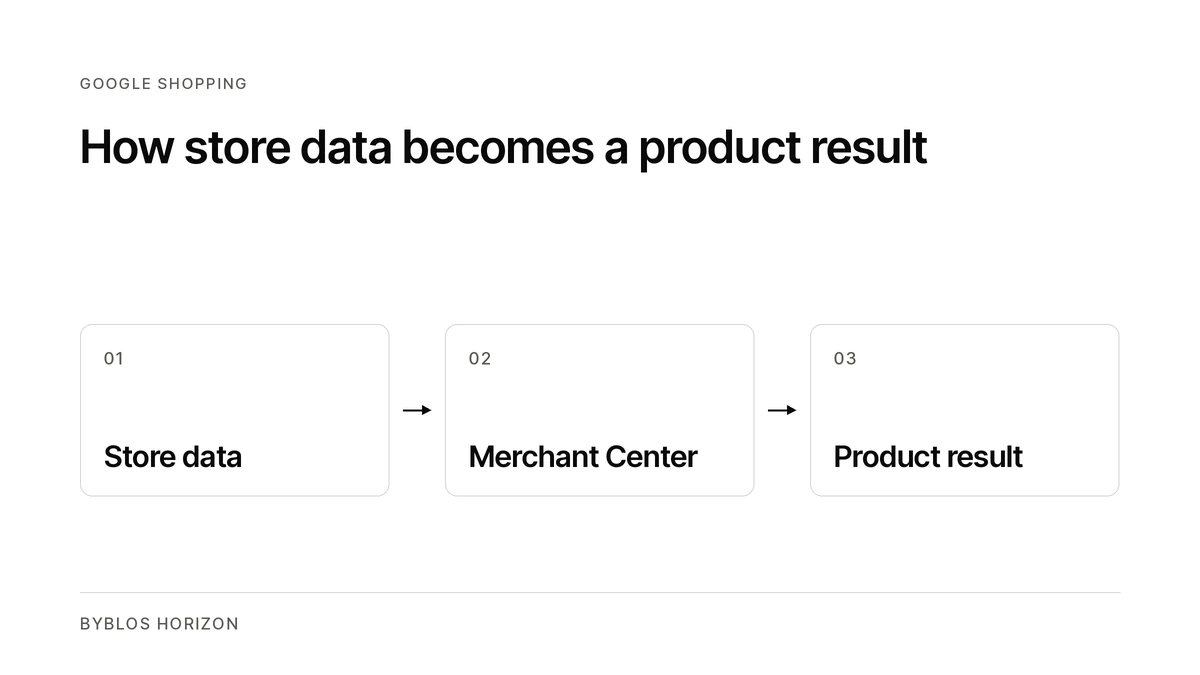
Google explicitly says product information can come from structured data on the page, a Merchant Center feed, or both. It can combine those sources. That's powerful, but it also means a merchant must keep several representations of the same product aligned.
Normal localization versus an actual pricing problem
Case A: correct USD source, automatic LBP display
This is the normal case. The feed, product page, structured data and checkout all agree on USD. Google sees Lebanon as the destination and converts the offer into LBP. Merchant Center documentation says the estimate is based on Google Finance and that the website can continue charging in the original currency.
Diagnosis
No feed repair is required solely because LBP appears in the Google card. The decision is strategic: accept the localized display, localize the full commerce stack, or use another ad format when exact USD presentation matters.
Case B: Google shows an old USD price converted into LBP
This looks similar but has a different cause. Suppose the site moved from USD 1,500 to USD 1,450 while Google still converts the older value. Possible causes include delayed feed processing, a rejected update, a second product source, a stale automatically discovered item, or a sale-price field that didn't expire cleanly.
The conversion can be mathematically perfect and still be commercially wrong because the underlying USD value is stale. Always divide the LBP card price by the likely Google rate before blaming the exchange rate.
Case C: Merchant Center reports a mismatched price
This is a compliance issue, not merely a presentation issue. Google requires the submitted price and currency to match the landing page, structured data and checkout for the same product. A mismatch can trigger automatic corrections, limited visibility or disapproval.
The most common failure modes in Lebanese e-commerce
| Symptom | Likely cause | Control point |
|---|---|---|
| USD website; LBP Google card | Expected country-currency conversion. | Merchant Center target country and Google's presentation layer. |
| LBP card maps to an old USD value | Feed latency, rejected update, duplicate source or cached listing. | Merchant Center item details and product sources. |
| Price mismatch warning | Feed, visible page, schema or checkout disagree. | Website + Merchant Center. |
| Wrong variant price | Feed URL does not select the submitted variant, or default variant differs. | Variant URL, offer ID and ProductGroup markup. |
| Sale price remains after promotion | sale_price or effective date not updated. | Shopify promotion fields and feed sync. |
| Googlebot sees another currency | Geo-IP currency app or Shopify Market behavior changes the rendered page. | Storefront localization and crawl testing. |
| Shipping mismatch | Shipping is submitted in a currency inconsistent with product data. | Merchant Center shipping settings. |
| Two versions of the same item | Shopify sync plus "Found by Google" or another feed app. | Merchant Center > Settings > Data sources. |
| Rich-result warnings | Missing or conflicting Product/Offer structured data. | Theme/app schema and Search Console reports. |
| Huge prices reduce clicks | LBP has low unit value; conversion creates cognitive and visual friction. | Creative/channel strategy rather than technical repair. |
Why common "fixes" often make the situation worse
- Don't change only the schema from USD to LBP while the visible page and checkout remain USD. That creates a real mismatch.
- Don't inject a converted LBP value only for Googlebot. Cloaking or crawler-specific pricing undermines consistency and can cause validation problems.
- Don't add changing prices to product titles as a substitute for correct price data. Titles become stale and can violate product-title quality expectations.
- Don't create multiple feed apps without defining which one is authoritative. More feeds don't mean fresher data; they can mean conflicting ownership.
- Don't disable Lebanon targeting simply to make USD appear unless losing Lebanese Shopping eligibility is an acceptable business decision.
- Don't assume Search Console can change the price. It reports how Google understands site markup; Merchant Center manages product data and eligibility.
The realistic ways around the problem
Option 1: keep USD and accept Google's LBP estimate
For many Lebanese retailers, this is the least risky operational choice. Keep the feed, landing page, structured data and checkout consistently in USD. Allow Google to localize the Shopping card. Then reduce confusion on the landing page with visible language such as "All prices and checkout amounts are in USD. LBP equivalents shown by third-party platforms are estimates."
Best for: businesses whose suppliers, margins and customer quotations are USD-based and that value Shopping reach more than perfect pre-click price presentation.
Option 2: build a genuinely localized LBP market
This is the cleanest consistency model but the hardest operationally. Use an LBP-specific market or catalogue, submit LBP in the Lebanon data source, show the same LBP price prominently on the landing page, keep checkout and shipping in LBP, and maintain a controlled repricing process.
Best for: retailers willing to own exchange-rate risk and transact consistently in LBP. A visual currency switcher alone isn't enough if the feed, selected market and checkout don't remain aligned.
Option 3: combine Shopping reach with Search-ad price control
Keep Shopping or Performance Max for product discovery, but add high-intent Search campaigns for hero products and categories. In a responsive Search ad, manually write "USD 1,500" in a headline and pin that headline when exact wording is essential. Manual Search-ad text is not the Merchant feed's converted price field.
The trade-off is significant: Search ads do not reproduce the same visual product carousel, and exact prices must be updated whenever the landing-page price changes. For larger catalogues, use ad customizers or avoid specific prices and write "Prices listed in USD" instead.
Option 4: avoid exact prices in acquisition copy
For volatile inventory or frequent repricing, lead with availability, warranty, delivery and the USD-pricing policy. This sacrifices some price transparency in the ad but reduces stale-ad risk. The landing page must still disclose the actual purchasable price immediately.
Option 5: opt out of product-rich surfaces
A merchant can remove or hide managed products, disable automatically found products, or opt out of certain shopping surfaces. This is the nuclear option: it solves the presentation problem by giving up the visibility. It rarely makes sense unless the converted display materially damages the brand or the business can't keep product data compliant.
Decision matrix for Lebanese merchants
| Business priority | Recommended route | Main trade-off |
|---|---|---|
| Maximum product visibility | USD feed + Lebanon targeting + accept conversion | Google controls the prominent currency display. |
| Exact USD shown before the click | High-intent Search ads with USD wording | Less visual than Shopping; ad prices require maintenance. |
| One currency throughout the journey | Full LBP market, feed, landing page, shipping and checkout | Operational FX risk and repricing burden. |
| Large catalogue with changing prices | Shopping for scale; Search ads without exact prices | Less price specificity in controlled copy. |
| No converted prices anywhere on Google | Opt out of relevant product listings | Lost organic and paid product visibility. |
How to navigate the ecosystem: the forensic workflow
Step 1: start from the customer-facing result
- Capture the Google result with date, device, language, Google region and physical location.
- Record the LBP amount, product title, image and destination URL.
- Divide the LBP amount by the current USD price. If several cards imply the same exchange rate, automatic conversion is likely.
- Click through and record the visible landing-page currency, selected variant, cart currency and checkout currency.
Step 2: verify the source of truth in Shopify or the commerce platform
- Confirm the store currency and the active market for Lebanon.
- Confirm the exact variant price, sale price, SKU, GTIN/MPN and availability.
- Check whether a currency app changes content by IP, cookie, language or URL.
- Confirm the Google sales channel is receiving the intended products and that obsolete products are excluded.
Step 3: inspect Merchant Center, the control room
- Open Products and filter "Needs attention" for price, currency, availability and shipping issues.
- Open the individual item and compare submitted values, processed values and the landing-page value Google detected.
- Open Settings > Data sources. Identify Shopify/API feeds, file feeds, supplementary sources and the "Found by Google" section. Choose one authoritative source per attribute wherever possible.
- Review target countries. For Lebanon, Google's supported local currency is LBP; a USD source can therefore trigger currency conversion.
- Review shipping currency and delivery coverage. Shipping should be consistent with the currency model used by the product source.
- Review Products > Automations. Automatic updates can rescue temporary price drift, but they shouldn't replace a reliable primary sync.
Step 4: use Search Console for observation, not feed management
- Inspect representative product URLs and check Google's last crawl and selected canonical.
- Open Shopping > Merchant listings and Product snippets. Fix critical structured-data errors and investigate repeated non-critical warnings.
- Run the Rich Results Test on representative single-variant, multi-variant, sale and out-of-stock pages.
- After fixing page markup or metadata, request recrawling. Remember that Search Console can't force a particular shopping-card design.
Step 5: decide what Google Ads should do
- Shopping and Performance Max inherit Merchant Center product data and Google's currency presentation behavior.
- Search campaigns give more control over written USD messaging but don't replace the visual Shopping format.
- If an exact USD price appears in a responsive Search ad, pin the essential headline and ensure text customization can't replace the intended message.
- Automate price maintenance or remove exact prices from ads when inventory changes frequently.
A 48-hour audit checklist
- Map every product source and name its owner.
- Test at least ten products: hero SKU, low price, high price, sale, variant, out of stock and recently changed.
- Compare feed, processed Merchant value, structured data, visible page, cart and checkout.
- Test from Lebanon and a second Google region; record the display differences.
- Verify the Lebanon market's language, currency, shipping and returns.
- Remove or neutralize duplicate Product schema generators if they can diverge.
- Set alerts or a weekly review for Merchant Center "Needs attention."
- Define who updates Search ads when a quoted USD price changes.
- Measure click-through and conversion rates before and after any workaround.
What success should look like
The goal is not to make every Google surface look identical. That is outside the merchant's control. The goal is to remove avoidable contradictions and make the remaining platform behavior understandable.
- One authoritative USD price for businesses choosing the USD model.
- The same price and currency in feed, schema, landing page and checkout.
- No duplicate or stale product sources silently managing the catalogue.
- A clear landing-page statement that checkout is in USD.
- Search ads used selectively when exact USD presentation matters commercially.
- A monitoring process that separates normal conversion from actual mismatch errors.
The strategic lesson
Google's commerce ecosystem is not one dashboard and it is not one algorithm. Merchant Center manages product truth and eligibility. Search Console reports what Google understands from the site. Google Ads buys distribution. Google Search decides how the result is finally presented.
In Lebanon, a store can do everything correctly in USD and still receive an LBP-first product card because the platform is optimizing for the country's official supported currency, not for the way the local market actually quotes imported goods.
That is why the right question is not simply, "How do I force Google to show USD?" The better questions are: Which part of the journey do I control? Where does consistency matter most? And is the LBP display only ugly, or is the underlying USD data actually wrong?
Bottom line
Don't confuse a localization choice with a technical failure. Verify the math, audit the data chain, then choose the channel strategy that fits the business. Understanding the ecosystem is the workaround.
Research notes and limitations
This report is a market-level analysis based on Google and Shopify documentation, Banque du Liban data and World Bank reporting on Lebanon's pricing environment. It does not rely on any individual retailer's private Merchant Center, Search Console or Google Ads account. Item-level processed values, feed labels, campaign country settings and disapproval histories must be verified inside each merchant's own accounts. The report is not legal or tax advice.
If your Lebanese store needs this audited properly, Byblos Horizon can review your feed, structured data and campaign setup from start to finish.
Sources
- Google Merchant Center: About currency conversion
- Google Merchant Center: Supported languages and currencies
- Google Merchant Center: Product data specification
- Google Merchant Center: Price attribute requirements
- Google Merchant Center: Fix mismatched product price
- Google Merchant Center: Automatic product information updates
- Google Merchant Center: Automatically added products / Found by Google
- Google Search Central: Introduction to Product structured data
- Google Search Console: Shopping reports and tools
- Google Ads: About responsive Search ads
- Shopify Help: Syncing products with Google Merchant Center
- World Bank: Lebanon Economic Monitor / near-complete dollarization of consumer prices
- Banque du Liban: USD/LBP economic and financial data
Frequently asked questions
Why does Google show my USD product prices in Lebanese pounds?
Google recognizes LBP as the supported target-country currency for Lebanon. If a store submits a USD product price and targets or reaches users in Lebanon, Google may automatically show an estimated LBP conversion in Shopping ads or free product listings. This can be expected behavior, not a feed error.
Does an LBP price on Google mean my feed is broken?
No. Local-currency presentation can occur even when the source storefront remains in USD. An LBP display alone does not prove that the feed is broken or that checkout will charge in LBP. A separate stale-price, variant, structured-data or feed-synchronization problem can still exist and must be audited independently.
What exchange rate does Google use?
Google says its currency-conversion estimate is based on Google Finance, so the displayed amount can differ from a retailer's cash, bank-card or checkout rate.
Can I change the schema to LBP while my checkout stays in USD?
No. Changing only the schema from USD to LBP while the visible page and checkout remain USD creates a real mismatch. Google requires the submitted price and currency to match the landing page, structured data and checkout for the same product.
Can Search Console change the price Google shows?
No. Search Console reports how Google understands site markup and indexing. Merchant Center manages product data and eligibility, and Google Search decides how the result is finally presented.
Practical next steps
If currency display is exposing a wider commerce issue, these are the next useful checks:
- audit product visibility beyond branded searches.
- correct the store feed and market setup.
- review the wider Lebanon commerce setup.
Sources
- Google documents currency conversion and target-country requirements for product data. Google Merchant Center currency guidance.
- Google defines the price and currency fields used in Merchant Center feeds. Google product data specification.
- Google documents how product price and currency are represented in structured data. Google product structured data.